Article
How to Convince Your Principal That Your Whole School Needs Common Planner
Discover the benefits of a school-wide subscription and get a ready-to-send email to help you make the case.
At Common Curriculum we believe that there’s no meaningful difference between long-range and daily lesson planning. Good unit planning informs good lesson…
At Common Curriculum we believe that there’s no meaningful difference between long-range and daily lesson planning. Good unit planning informs good lesson planning, and vice versa
That’s why we’ve made a ton of improvements to Common Curriculum’s unit planner with Cc 4.0, and to be honest, we’ve never been as excited about our unit planner as we are right now!
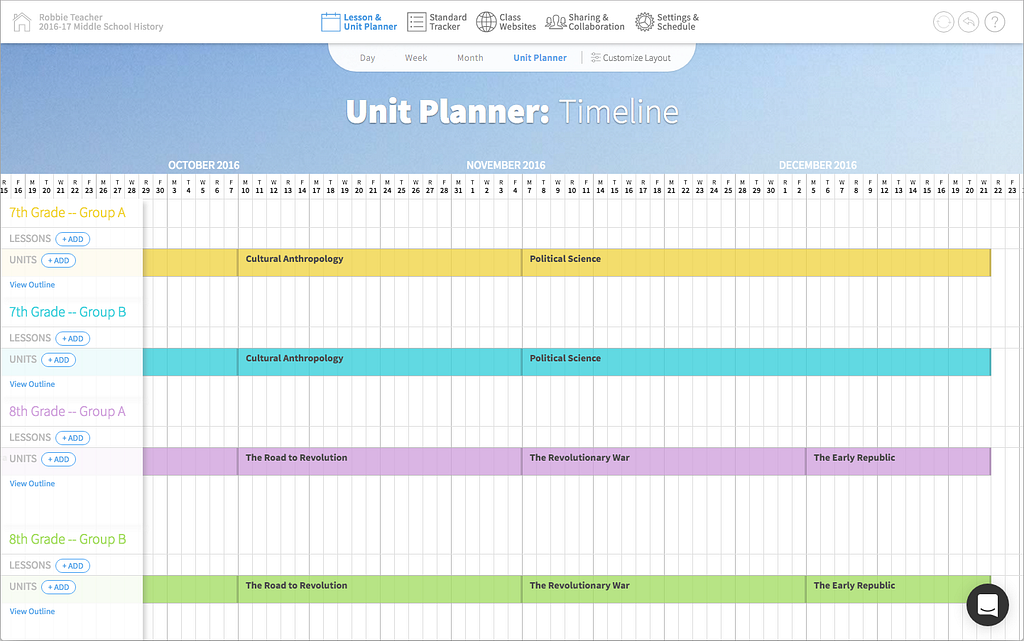
To start, you can now view multiple classes right on top of each other in unit planner! As a middle school history teacher, I often found that it was helpful for logistics and management to make sure all of my classes were at roughly the same point in their units at the same time. So, my unit planner might look something like this:
Those of you that are super into color-coding (i.e. every teacher ever) are going to love the new unit pop-over. Just click on a unit to see it pop up and change the colors of your units on the fly:
Not only is color coding the best thing in the world, but the new unit pop-up menu also makes it super easy to quickly change the titles of your units!
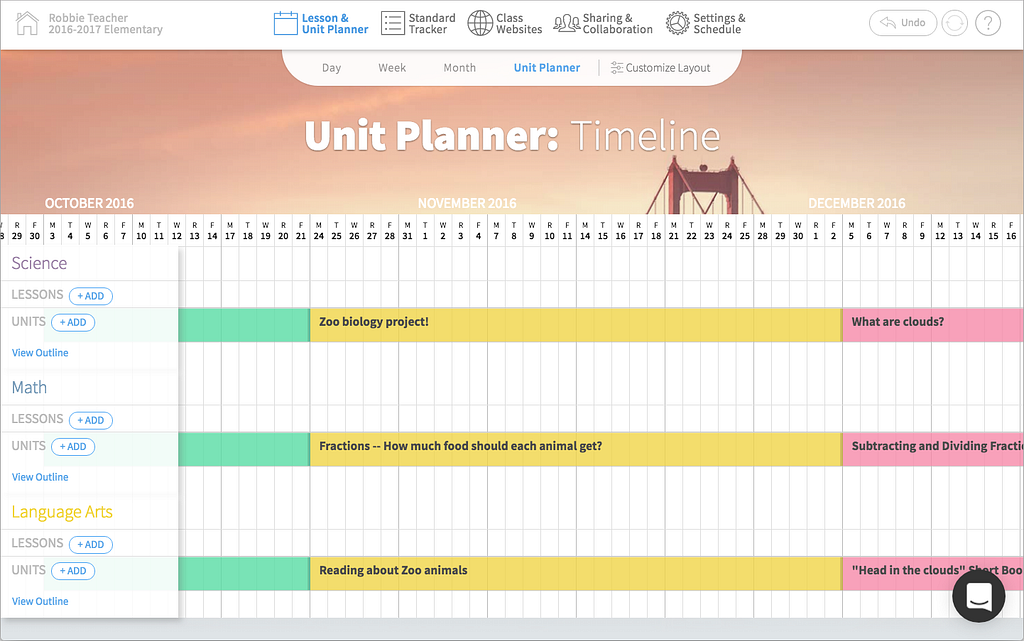
When combined with the new multi-unit timeline, custom colors become super useful for anyone that teaches thematic units, like elementary teachers. For example, imagine that you teach 1st grade and you want to talk about zoos in all of your subject areas in October, you might create units that deal with zoos in different ways in all your classes and then color code them and line them up on the timeline:
Unit titles now appear above lesson titles on the day, week, month, and unit layouts! Just click on a unit title to compare that unit side by side with its lesson. Oh, and as a bonus, we’ve also added unit standards to the standards tracker.
Here’s an awesome way to use these two new features in tandem:
You can compare units with lesson from the day, moth, and unit planner layouts too!
As part of our unit plan changes, we’ve also completely revamped the way units move on the timeline. The old rules for unit movement were pretty confusing, especially when you were moving units backwards and swapping them with other units on the timeline
Now, when you drag a unit Cc simply makes room for it and drops it in place. There are a few rules for how this works:
Check out the new unit dragging behavior in action here:
We’ve also combined all of the individual unit outlines into one mega outline for each class. In the old version of Cc if you wanted to see the lesson titles from two units you had to endlessly switch back and forth between them.
Fortunately, you can put that endless clicking behind you with Cc 4.0! Just click “outline” once and presto…an entire year of lessons in a single beautiful outline:
Keep reading
Discover the benefits of a school-wide subscription and get a ready-to-send email to help you make the case.
A shared planbook helps co-teachers stay aligned, add student supports, and plan together even when they can't meet.
Make substitute teacher plans easier with Common Planner. Keep lessons, materials, and directions together, then share exactly what your sub needs.