Article
How to Convince Your Principal That Your Whole School Needs Common Planner
Discover the benefits of a school-wide subscription and get a ready-to-send email to help you make the case.
02 June 2016
02 June 2016
There’s nothing quite like holding a beautifully-formatted well-planned lesson on your clipboard and knowing with confidence that you’re ready for the day. But formatting that lesson plan can be a real pain: no one enjoys wasting huge amounts of time trying to make their printouts look perfect. We wanted to save our teachers from that hassle, to help them format their printouts just the way they like them. So we recently released a whole new print and PDF export dialogue, that we think is going to make all our teacher’s daily routines way simpler.
Every Cc teacher got an updated print dialogue with this release, but the new print options are most powerful when paired with Cc Pro, which lets you print an entire day, week, or month of lessons with one click:

Just select the print icon in the upper right-hand corner of your screen at any time to print the current view you’re in. So, printing from the day view prints an entire day. Printing from the month view generates a month calendar, and so on.
Here are some neat ways to format your lessons using the new printing dialogues, taken from conversations with teachers that use Cc to plan every day! We’ve included screenshots showing how to recreate their ideas so you can try these printouts for yourself:
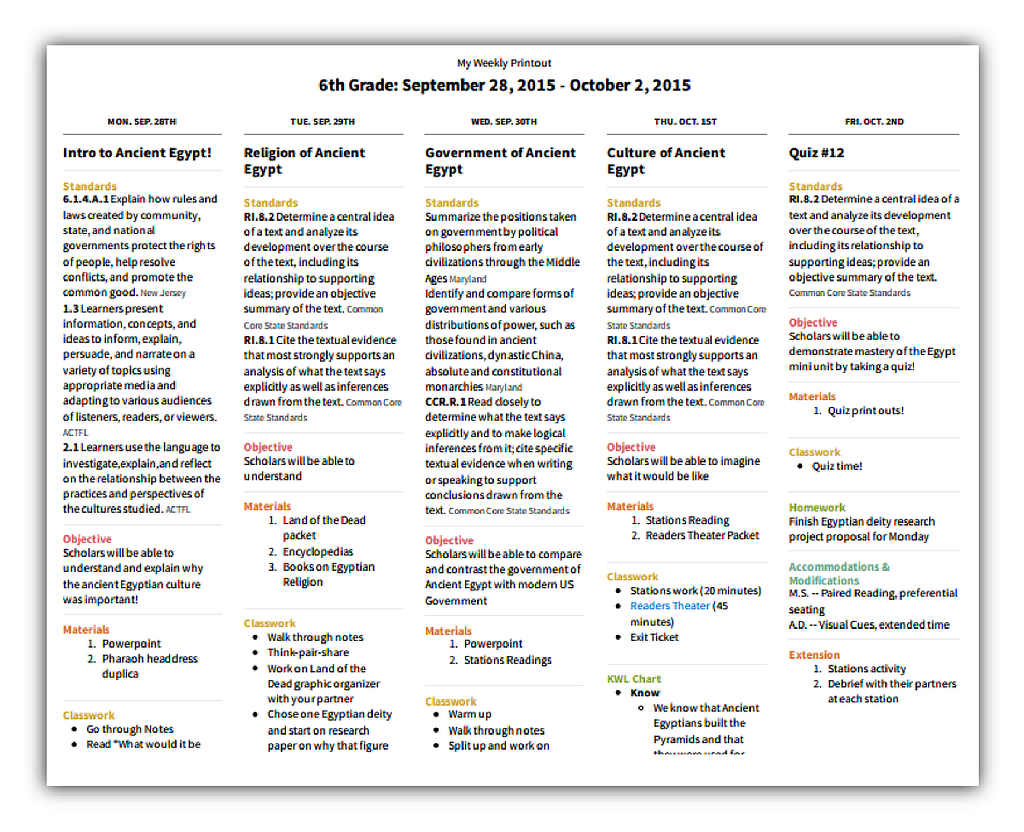
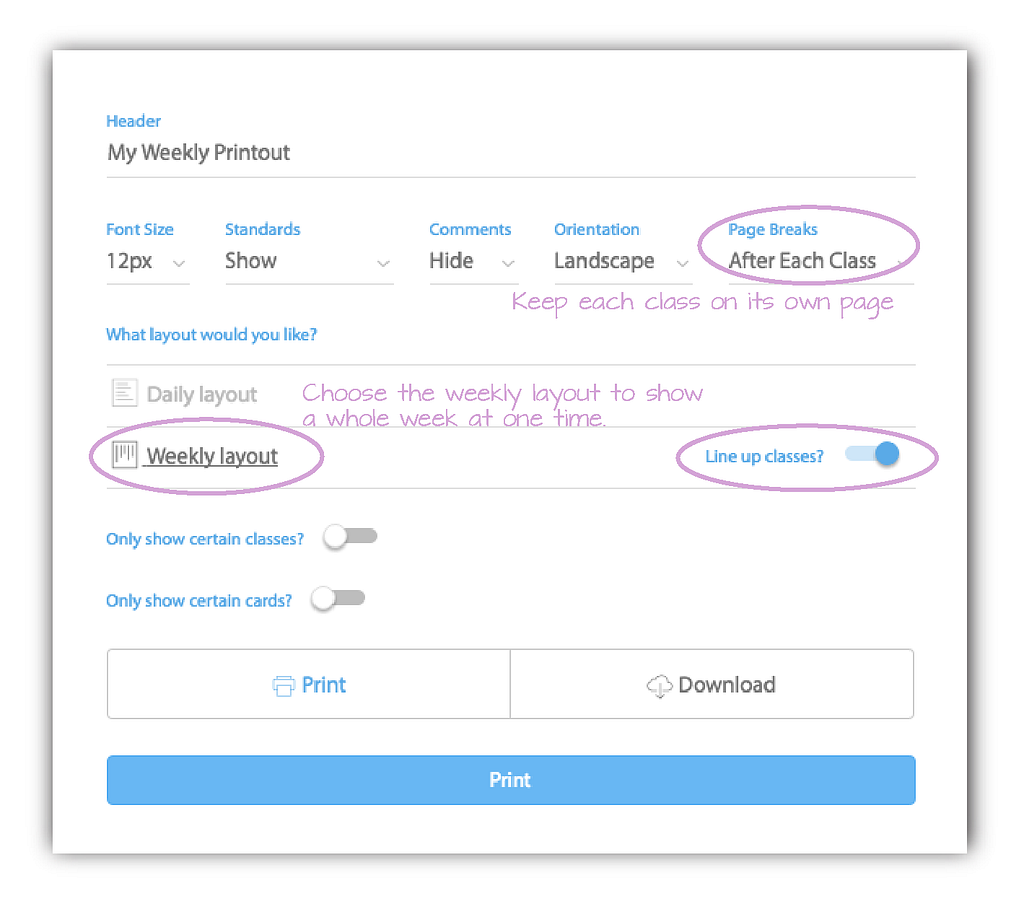
“Our school requires all new teachers to submit their weekly lesson plans by Monday evenings, I’ve been able to use the print options to create a pdf that includes just the parts of the LPs that the principal needs to see. This alone has saved me a lot of time, since I don’t have to copy everything into the template that the school provided.”
Yo from Maryland
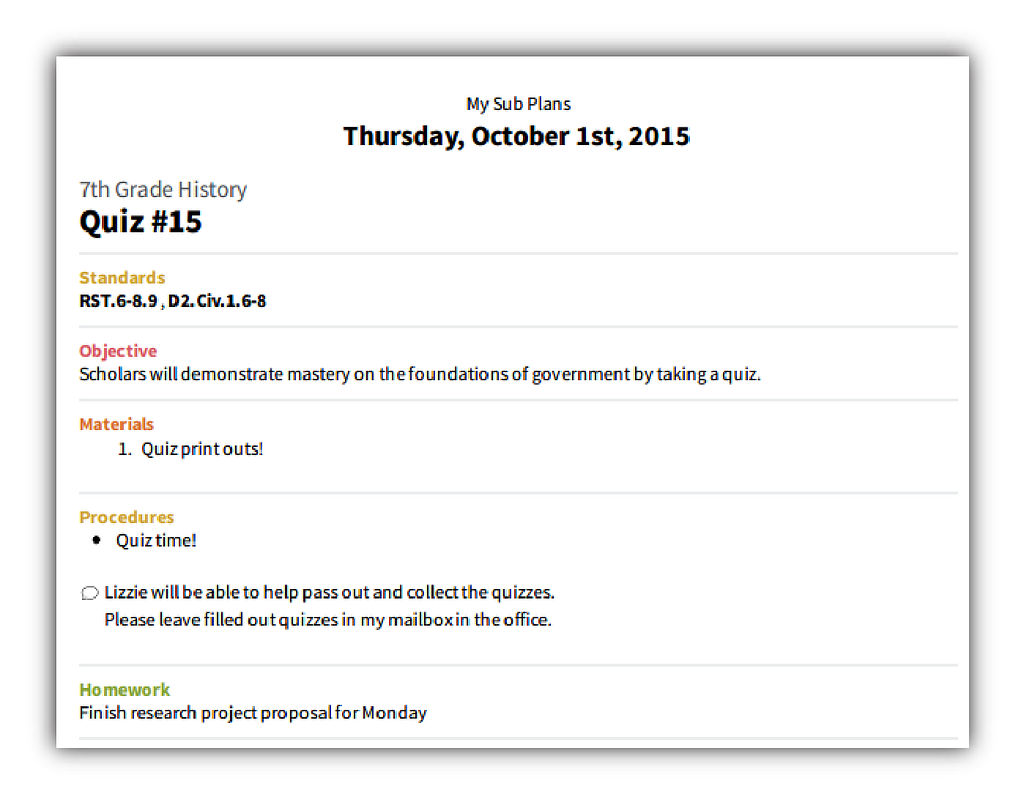
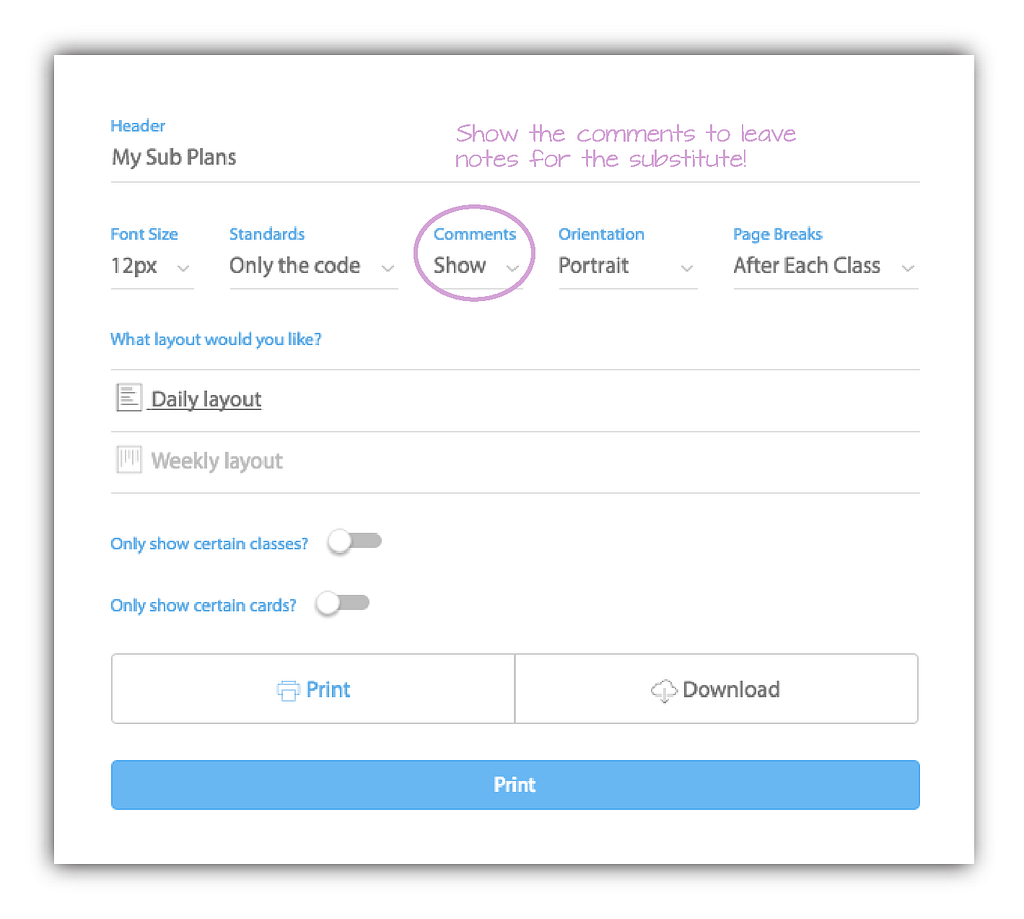
“Cc has been a real blessing when I have a sub! For those times when I have had to take a day off, it is wonderful to be able to just print out my lesson plans and leave them. Every sub I have had has commented on how easy it was to follow my lessons. I credit a lot of that to the easy layout your program has. They can see not only what they need to do, but what materials they need, how they are going to assess the students and if there is any homework for that lesson. It has also been fabulous because if I need to call in, I can just have someone print the lesson plans for me. I don’t need to write something up, while battling the stomach flu.”
Courtney from Kentucky
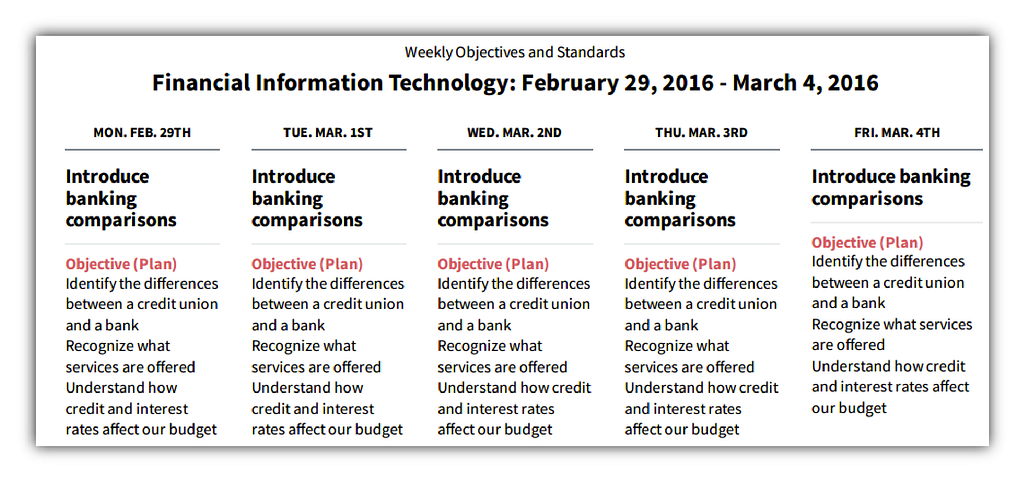
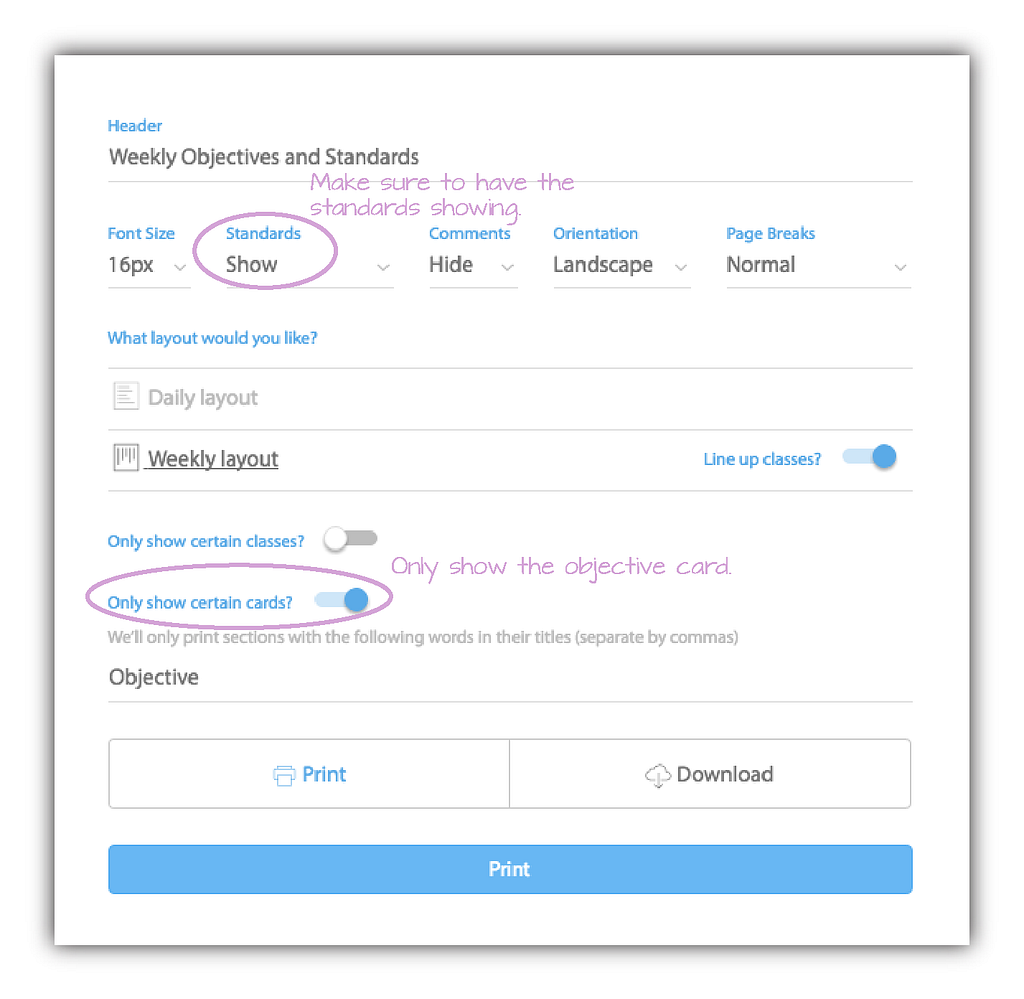
“I am using Cc for planning but also for tracking my standards. I also print out my standards and objectives to post for our data boards.”
Sheila from Wisconsin
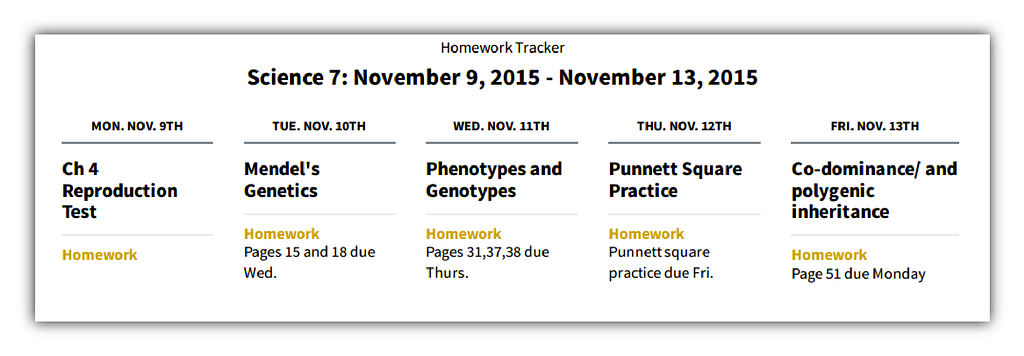
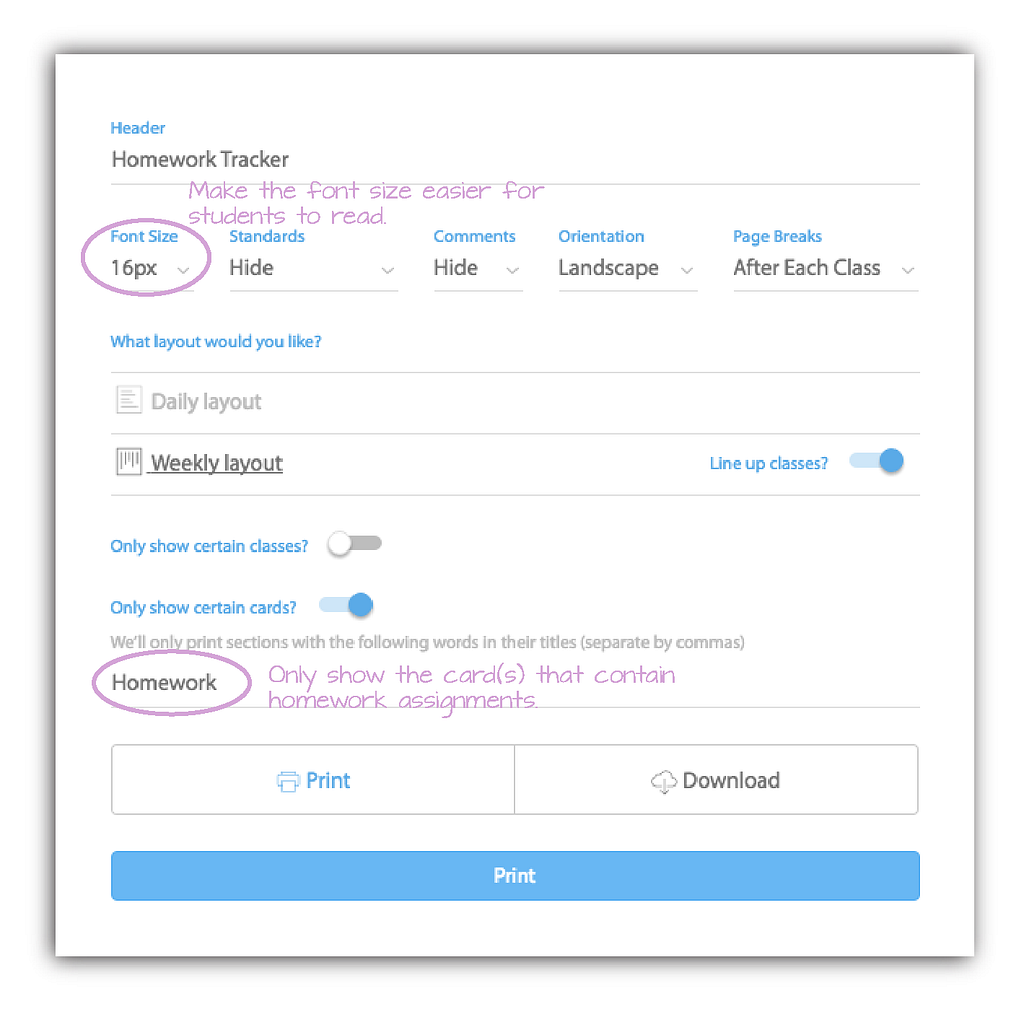
“I am excited about the new print features for printing out lessons. I just used it the other day to print out my lesson plans for a student that is going to be gone several days for hunting. It made getting the materials together for him very simple.”
Jennifer from Wisconsin
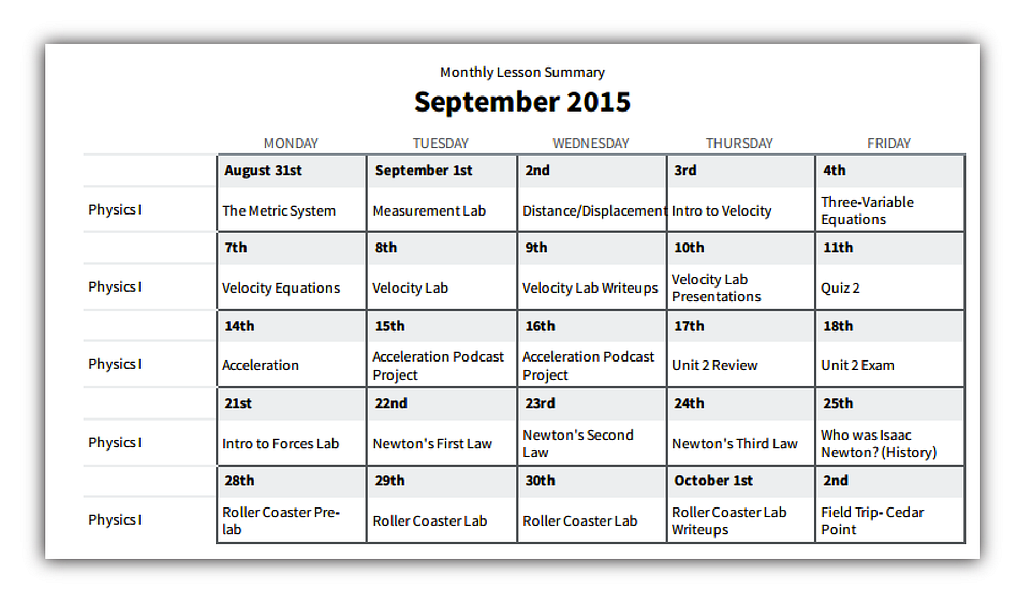
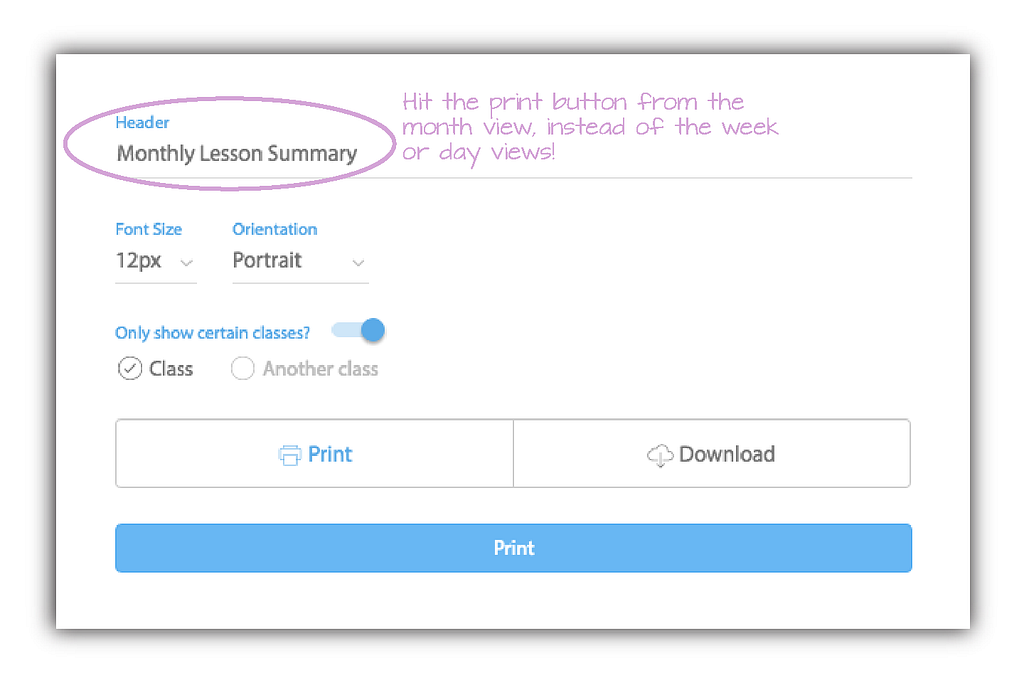
Create a Document that records your entire year’s worth of lessons.
“This year, for the first time in my 7 years of teaching, I have a clear and organized record of an entire year’s worth of daily lessons and unit plans — with notes! Last year I printed out every lesson I taught using Cc. No more flipping through my notebook during class. The board notes, the questions, everything was right there. Now I use an iPad to teach, and I download PDFs of my lessons every day, open them in a PDF editor, and make my notes just like I did on paper last year. Having a thorough record of what I taught and what I thought about it later is instrumental to my practice. This year I feel that I can build on what I learned last year because I can rely on my records, and Cc made that possible.”
Michelle from New York
And here is a video (opens in a new tab) that explain these use cases in more detail. The examples in this video are only some of the ways you can customize your lesson printouts.
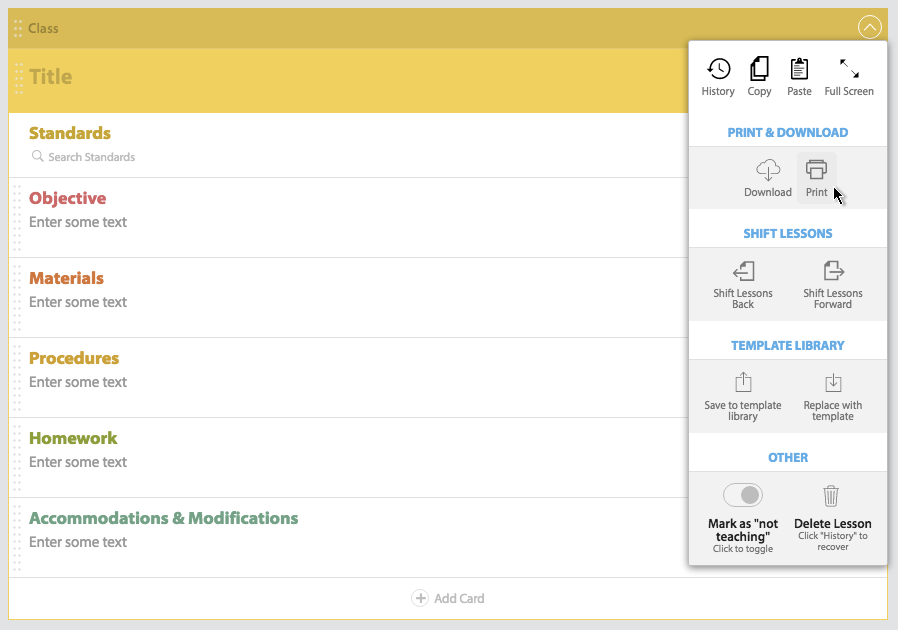
You definitely can! While the option to print a whole day, week, or month is only available to Pro users, you can still do printouts of your lesson plans in the free version of Cc. Simply choose the print option from the dropdown menu of your lesson instead of at the top of your screen!
Click the print button at the top of your planning screen to get started! You will be able to start a free trial of Cc Pro today, completely commitment free!
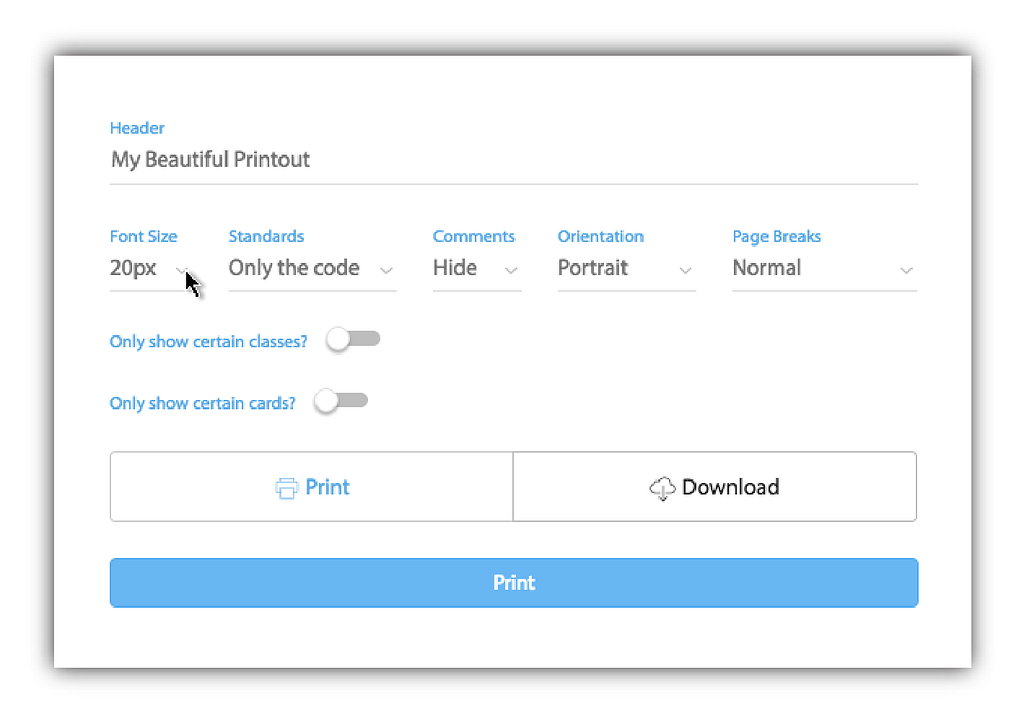
You bet! On your printout options, you have the option to make the font size bigger or smaller:
Not yet! But let us know if you are interested in these features by reaching out to support@commoncurriculum.com!
Want to conserve paper, but you are required to have a printout of every lesson? Here are some tips to make your lesson printouts shorter!
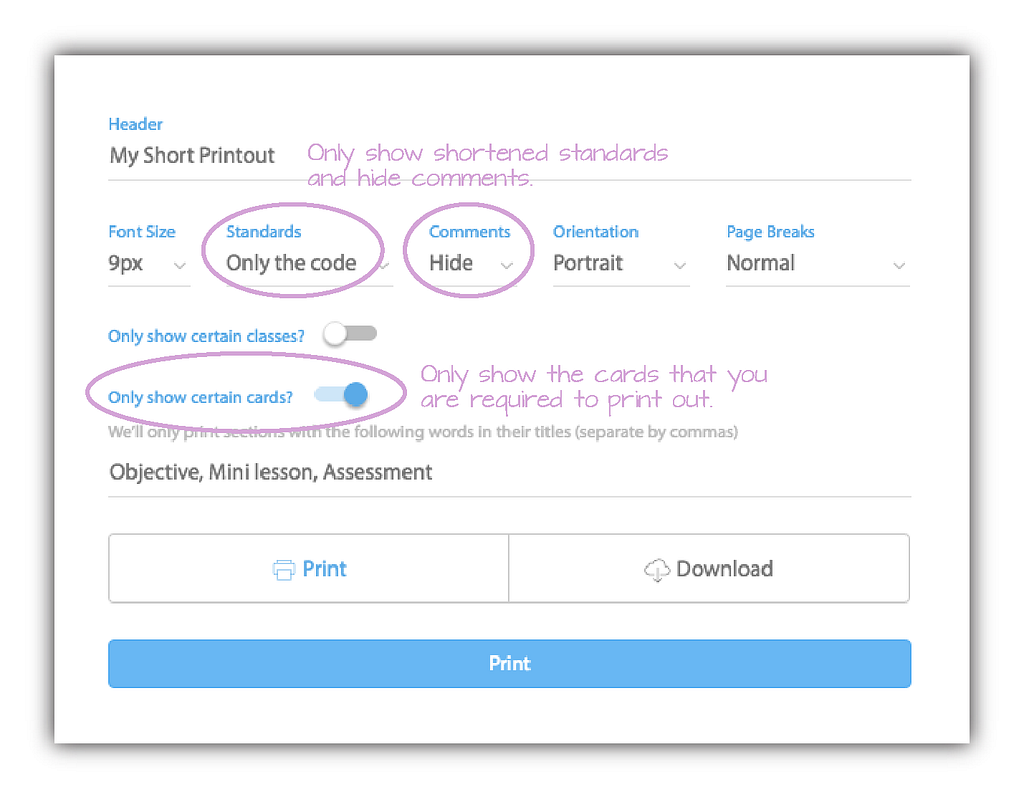
Here’s a comprehensive list of every print option that you can change:
We’d love to hear them! Share your ideas on our Facebook Page (opens in a new tab).
Originally published at blog.commoncurriculum.com on June 2, 2016.
Keep reading
Discover the benefits of a school-wide subscription and get a ready-to-send email to help you make the case.
A shared planbook helps co-teachers stay aligned, add student supports, and plan together even when they can't meet.
Make substitute teacher plans easier with Common Planner. Keep lessons, materials, and directions together, then share exactly what your sub needs.